Firebase Studio: Your Gateway to Effortless AI App Development
Ever felt overwhelmed by building AI apps? Firebase Studio, Google's cloud platform, streamlines the entire development process from prototyping through production deployment.
What is Firebase Studio? A Simplified Overview
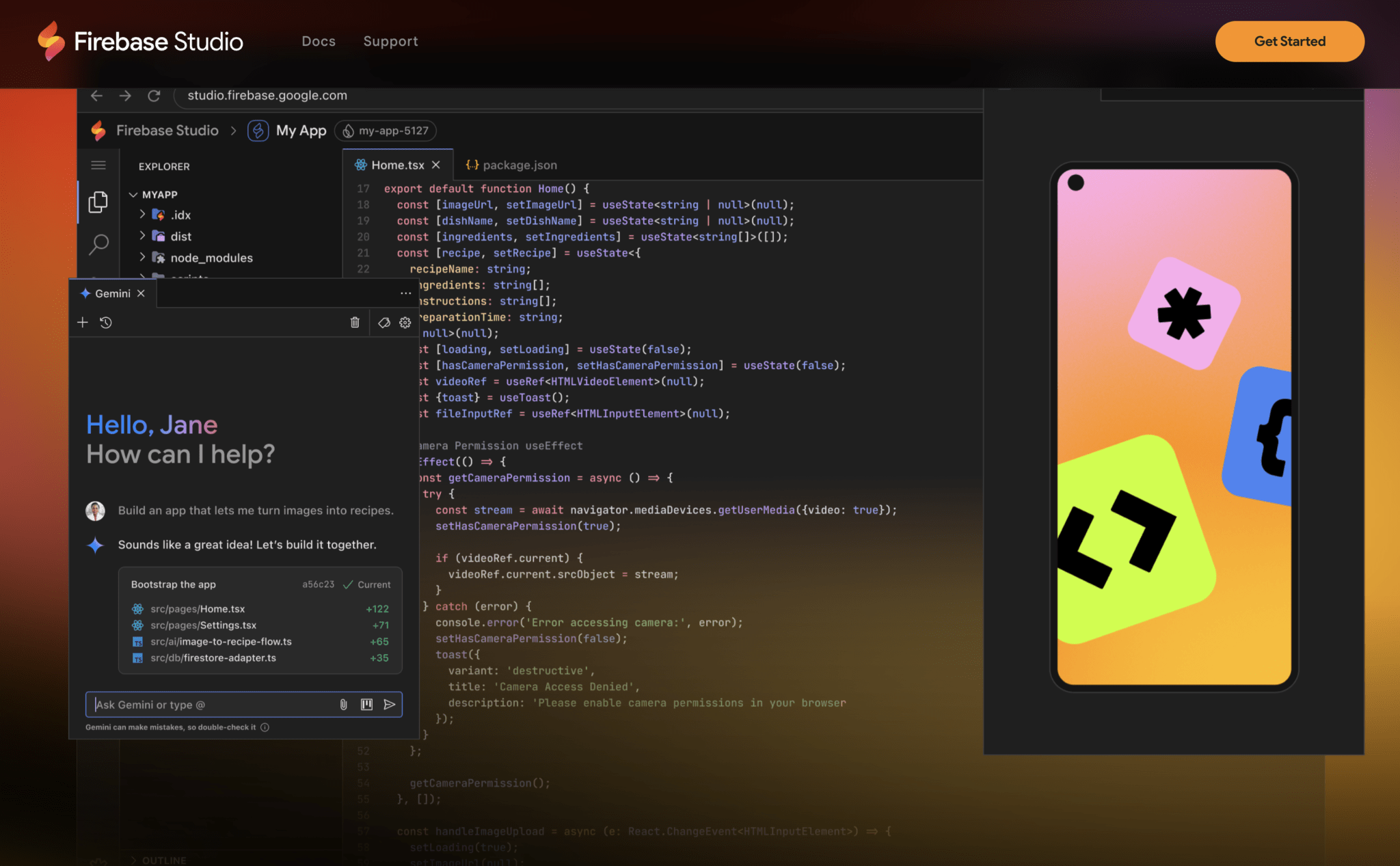
Firebase Studio represents a unified, cloud-based development workspace designed to simplify building, testing, deploying, and running production-quality AI applications. It consolidates Project IDX, Genkit, and Gemini integration into one platform, enabling rapid prototyping and flexible deployment options.
Key Benefits of Firebase Studio for AI App Development
Firebase Studio streamlines AI application development by eliminating complexity:
- Faster Prototyping: Generate functional app prototypes in minutes using natural language prompts.
- AI-Powered Iteration: Use Gemini within Firebase Studio to edit and refine your app with simple instructions.
- Seamless Integration: The environment combines powerful tools like Project IDX and Genkit for streamlined development.
- Simplified Deployment: Leverage Firebase App Hosting for one-click deployment.
- Real-Time Collaboration: Share workspaces and collaborate with others in real-time.
Step-by-Step Guide: Building an AI App with Firebase Studio
1. Prototype Your AI App
Get started with the App Prototyping agent, which generates web app prototypes (Next.js is the default) based on your prompts, images, or drawings. Firebase Studio will generate a functional Next.js web app in seconds, complete with UI and automatic Genkit connection with a Gemini API key.
2. Iterate with Gemini's Help
Chat with Gemini in Firebase Studio to edit your app. Request feature additions, layout changes, or AI flow refinements without manually coding. Gemini understands your codebase and facilitates iteration through natural conversation.
3. Dive into the Code
Use the CodeOSS-based IDE, enhanced with Gemini code assistance for code completion, debugging, and explanations. Full terminal access and Firebase service integrations are included for comprehensive development capabilities.
4. Preview on Any Device
Generate a public URL for web preview and create a QR code for instant mobile testing. Test your app across different devices before deployment to ensure optimal functionality.
5. Publish Your App
When satisfied with your prototype, click "Publish." Firebase Studio uses Firebase App Hosting to deploy with one click, handling builds, CDN, and server-side rendering automatically.
6. Share and Collaborate
Share the deployed link and workspace via URL. Collaborate in real-time within the same environment and instantly push updates. Invite team members to work collaboratively on your project.
Firebase Studio vs. Project IDX: What's the Difference?
Firebase Studio incorporates all Project IDX functionality while adding new features. You can import existing codebases, use custom templates, and build backends, frontends, and mobile apps. Firebase Studio enhances this with the App Prototyping agent and deeper Firebase platform integration.
Coming Soon: Gemini Code Assist Agents
Upcoming Gemini Code Assist agents within Firebase Studio will support code migration, AI model testing, and code documentation through a Kanban board interface. Join the wait list via the Google Developer Program for early access.
Getting Started with Firebase Studio
Firebase Studio provides 3 free workspaces to begin development, with additional workspaces available for Google Developer Program members. Build quickly, iterate efficiently, and deploy with ease. Visit Firebase documentation or try Firebase Studio immediately.
Frequently Asked Questions (FAQs)
Is Firebase Studio suitable for beginners?
Yes, Firebase Studio accommodates developers of all skill levels, including those new to AI development. Its intuitive interface and AI-powered features simplify getting started.
What coding languages and frameworks are supported?
Firebase Studio supports multiple languages and frameworks. It integrates well with Next.js, is customizable via Nix, and allows importing existing codebases for flexible tech stack choices.
How much does Firebase Studio cost?
Firebase Studio offers a free tier with 3 workspaces. Additional workspaces may require Google Developer Program membership and/or a billing account.
How does Firebase Studio improve collaboration?
Firebase Studio enables real-time collaboration by sharing entire workspaces via URL. Multiple developers can work simultaneously, facilitating feedback integration and seamless updates.
At RayMish Technology Solutions, we're excited about Firebase Studio's potential to democratize AI app development. Start building your AI application today.